One set of numbers. Every store and every system, on one screen.
We join your point-of-sale, payments, payroll and booking data into one view, so comparing two stores takes a click instead of an afternoon of exports. Every number shows where it came from and how fresh it is, which settles most arguments before they start.
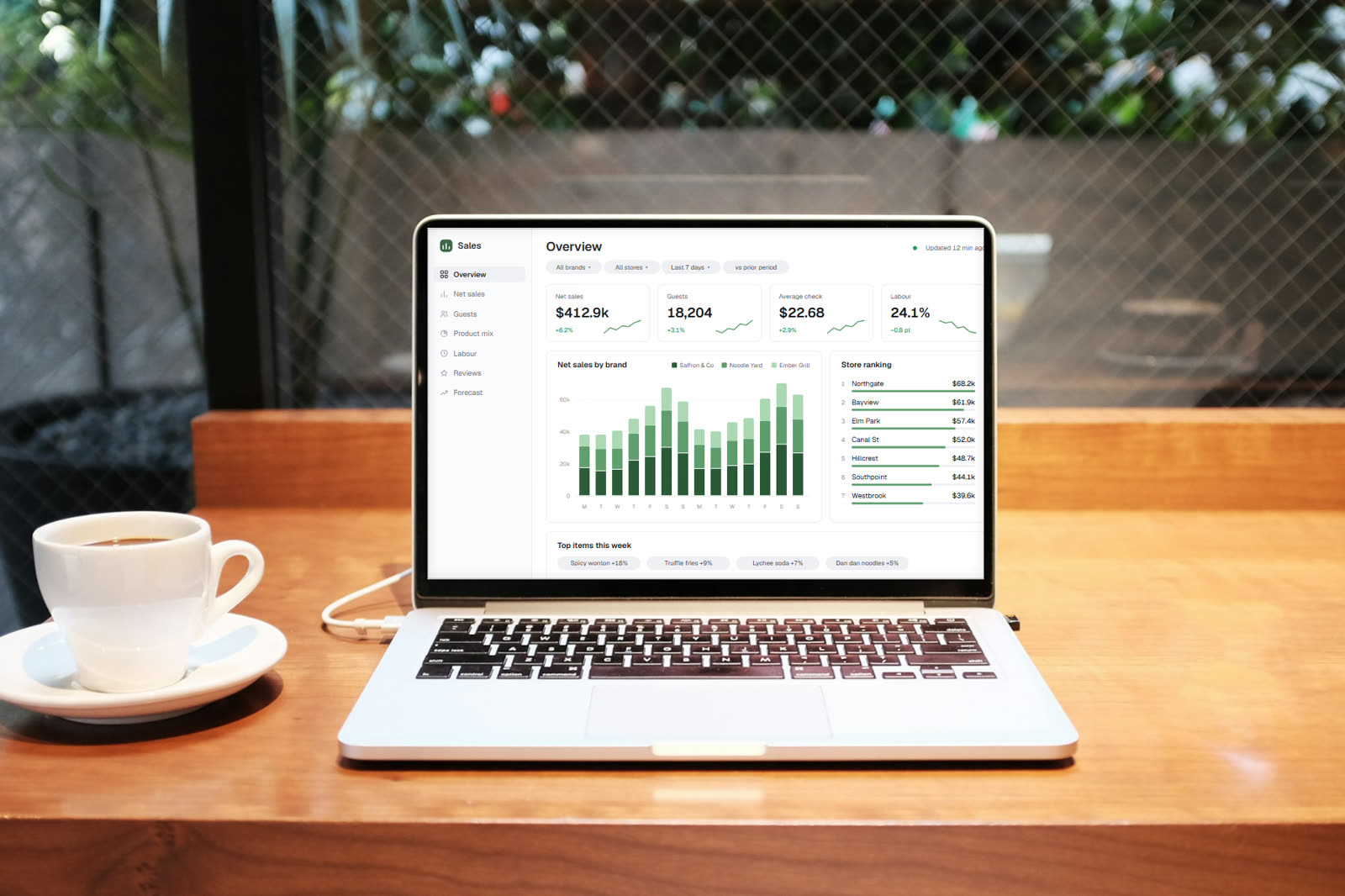
One of our screens on a real device. Photo from Unsplash; the screen uses sample data.
This is for you if
Three signs it is time.
- Your weekly numbers meeting starts with someone pasting exports into a spreadsheet.
- Each brand or location runs a different point-of-sale system, and nothing lines up.
- You suspect money is leaking somewhere, like card fees or overtime, but nobody has time to dig.
What changes
The meeting starts from one screen
Sales, guests, labour and product mix for every store, side by side, with any period compared to the one before.
Numbers nobody second-guesses
A badge on every figure shows when it last updated, so no one wonders whether the screen is current.
Problems with a price on them
Outliers are flagged and costed, like stores paying more than their brand's usual card rate, so you go into a renewal with a list and a number.
What's included
The usual scope. Every quote says exactly what is in and what is out.
Data in
- Point-of-sale, payments and card processor data
- Payroll, scheduling and labour hours
- Bookings, memberships and guest counts
- The spreadsheets someone still keeps by hand
- Checks that flag missing or incomplete data
On the screen
- Store, brand and region views
- Any period against the one before
- Rankings, outliers and drill-downs
- Forecasts and a written weekly summary
- Phone and tablet layouts for managers
Out the door
- Morning email digests
- Excel workbooks for finance and leadership
- Answers by chat, if you add an assistant
- Access by role, so each manager sees their own stores
How it runs
The general process, shaped for this kind of job.
- 01
Agree what each number means
Does net sales include tips? Comps? Gift cards? We list the questions you ask every week and settle each definition on paper before anything is built.
- 02
Connect and reconcile
We connect each source and compare our totals with your own reports for the same days. If a number doesn't match, we find out why before anyone sees a chart.
- 03
Design for each role
An owner wants every brand at once. A store manager wants their own store and yesterday. We lay out each view and test it with real figures.
- 04
Keep the feeds healthy
After launch we watch the imports and fix them when a vendor changes an export or an API. A dashboard is only as good as last night's data.
Questions
Asked on first calls about this.
Why not just use the reports in our point-of-sale?
Those reports are fine for one system. They stop helping when you run several brands on different systems, or need labour, card fees and bookings next to sales. That's the gap we fill.
Which systems can you connect?
Most common point-of-sale, payroll and booking systems have an official way to get data out, and we use it where it exists. Where it doesn't, we work from scheduled exports. Tell us what you run and we'll check before we quote.
How current are the numbers?
As current as each source allows. Some systems hand over sales every few minutes, others once a day. Every figure carries its age, so you always know what you're looking at.
Who can see what?
Access is set by role and location. An owner sees everything, a regional manager sees their region, and a store manager sees their store. Sensitive figures like labour cost can be hidden from roles that don't need them.
Goes well with
Services
Want this for your business?
Tell us what you have today and what is getting in the way. A person reads it and replies within two business days.